2009-11-16

Headmaster's Speech on the Online Thanksgiving Quiz Competition

Dear teachers and students,

Good afternoon! Today I have important news to announce that our school will hold an innovative Thanksgiving quiz competition this month.


Nearly four hundred years ago, our forefathers explored to this land and lived on it after experiencing unimaginable frustrations as well as hardships. Because of their great efforts, life gets better and better. It is the history and culture that we should never forget. Therefore, to sustain our forefathers' tradition and bring you pleasure before the Thanksgiving holiday, our school will hold this Thanksgiving quiz competition.


This year the competition is based on an advanced way - the online quiz, which means that the competition can be held within flexible time, with more contestants and more pleasure, but less pressure. Next, please allow me to give you some detailed instruction.


About the time and place: because we hold this competition by the means of making an online quiz, you can do the quiz on our school's Website anytime from October 18th to 20th. This online quiz system allows hundreds of you to do the competition when you have time. It will save you out of the dilemma between your academic work and the competition. Compared with the traditional round-after-round quiz competition, it will cost much less time to do an online quiz.


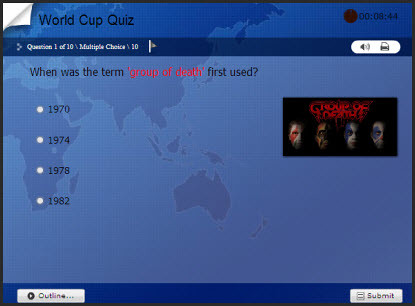
Then, about some instruction of the quiz's content: this online Thanksgiving quiz competition will check your knowledge from various dimensions. You will be tested on Thanksgiving's history, custom, and so on. There will be 8 question types including true/false, multiple choice, sequence, click map, etc. Also some multimedia question will appear, such as the question with audio, Flash movie as well as video embedded. Besides, every contestant will get the randomized questions to avoid cheating.


Finally, this is a competition with cool prizes for top 50 winners with 5 the first award, 15 second award, and 30 third award. As for the score, you can know it immediately. Because it is a self-grading quiz, you can see your score once you finish the testing. Teachers will get all your results through the Quiz Management System. The more amazing point is that the results can be ranked by the scores and top 50 winners can be picked up shortly. It is quite efficient, isn't it? The exact name list of the winners will be declared on the website soon after the quiz competition.


Thanksgiving is a time when we can reflect upon this rich, Christian heritage, but it's a pity that many of us are often ignorant of our country's origins, so this Thanksgiving quiz competition based on online quiz would come as a booster for you to maintain the knowledge about this nation's foundations. I hope that you will not only take this quiz competition but also share the Thanksgiving quiz with others. I also hope that you will be encouraged to study more about the historical and traditional foundations of this country.


Dear students, welcome to the competition based on the online Thanksgiving quiz. Wish you good luck!

Read more ...

2009-10-27

Grading Online Quizzes Created by Google Docs Automatically

For teachers, grading quiz results for paper test manually is definitely a hard job. Google Docs provides a good way for teachers to create online quizzes or surveys for teaching and learning, you can view the posts about creating quizzes and sharing quizzes with Google Docs. But teachers, do you know how to grade the quizzes automatically? If you don't know, this tutorial about how to grade the quizzes automatically will give you the details.

...full post
Read more ...

2009-10-21

Google Docs for Online Classroom: Sharing Quizzes to Inviting Students to Take the Quiz

At the last post about creating online quizzes with Google Docs, I showed you the steps to create online quizzes with Google Docs. In this post, I will guide you to share the quizzes you created and then invite others to take quizzes.

You can share the quiz spreadsheet with others or publish it. About sharing quiz spreadsheet online to let other take the quiz, there are 2 ways: embed the quizzes to blogs or websites, and Email others the quizzes.

You can get more information about how to share quizzes created by Google Docs, please click the link and do it for you
Read more ...

2009-10-13

Creating Online Quizzzes with Google Docs for Free

Google Docs is a favorite thing for us teachers. It is a totally free, web-based word processor, spreadsheet, presentation, and form application. It allows users to create and edit documents online while collaborating in real-time with other users, especially for teachers using it in online classroom. In addition to being a stellar way to write, store and manage your documents and slideshows, it is also a fantastically useful way to create online quizzes for online assessment.

Here are the step-by-step illustrations about creating an online quiz with Google Docs.

Step 1. Log in to Google Docs

To get started, log in at Google Docs (http://docs.google.com/) with Gmail account. If you don't have a Gmail account, come out from that rock you live under, boot up the computer, and get yourself a Gmail account.

...

Step 2. Start creating quiz


Once you're logged in, click "New", and then "Form".


To view more details, please go and view how to create online quizzes with Google Docs for free.


Read more ...

2009-09-30

12 Free Online Quiz Creators for Teachers to Create Online Quizzes

Here is a collection of 12 free online quiz creation tools for teachers to create quizzes for free. These 12 free quiz creators will help teachers make quizzes for teaching online for free, such as ProProfs, Classmaker, QuizCenter
and other 9 tools.

You can get more free tools at:12 Free Online Quiz Makers to Create Online Quizzes

Do you know of any other free online quiz makers that can be helpful? Please add your favorites in the comments.

...full post
Read more ...

2009-08-07

Some Useful Tips For Web Conference Training

Companies and organizations today use web conferencing in many aspects of their organizations-to conduct meetings, collaborate on projects, demonstrate products and services, and more. Learning to use web conferencing technology is pretty easy, but there is a lot more to training via web conference than just putting on a headset, dialing up an audio-conferencing bridge, and logging onto the application.
This article offers some helpful tips specifically targeted to web conference training:...
  • Even though you are using web conferencing to deliver training, the training content itself must still be planned and crafted just as carefully as if it were for a traditional classroom session or e-Learning course.

  • When developing PowerPoint slides to use in web conference training follow these guidelines:

    • Simplify content.
    • Use a large, bold, simple font like Arial.

    • Have no more than 6 to 8 lines of text per page (fewer are better).

    • Make no more than 4 to 5 training points per page (fewer are better).

    • Use plain backgrounds that contrast well with the text without clashing.

    • If possible, avoid complex animations (i.e. no spinning text, etc.).


  • Establish one person as the point of contact, (POC) for communicating with their group of attendees. Provide all information to this one person and let them communicate it to their own people.

  • Provide an outline of objectives for attendees prior to the conference.

  • Test all aspects of your presentation ahead of time. (Enlist the help of an online facilitator or a student for these tests.):

    • Check your phone lines and headset, and replace weak batteries with full new sets.

    • Though most web conference technologies automatically run a short program to install and test your machine, open your own test conference and run your presentation. Confirm that your machine won’t freeze up because of low PC memory or connection speed.

    • Check any online exercises, tests, or polling questions you have planned for the session.

    • Run through the presentation twice, to both check its timing and leave ample time for questions and answers.


  • If student answers are being stored in a database or a learning management system (LMS), determine how they will be scored, saved, and accessed later.

  • Are you using an electronic whiteboard? Check to see how its images will be stored. Will your students need them later? How can they access this material? Is it something you can post in a reference area on your training LMS?

  • If you are going to demonstrate with examples, try to keep them relevant to the audience. It’s easier for people to learn when material is presented through examples that make sense to them.

  • Check how much background noise your system produces. Stage the actual conference in a quiet place, where you can control any heating or air conditioning noise. Be careful about rustling papers. And never eat anything or chew gum during the conference.

  • Will a host introduce you or will you have a guest presenter during the web conference? If so, you’ll need to run through all of things discussed in item 5 with the other participant.

  • Do you or your guest tend to run long? If so, you may want to use cue cards. Or use a second computer (or laptop) as a time clock, to signal when someone is running long.

  • Limit each session to 60 – 90 minutes. Longer sessions are not productive.

  • Limit your audience. When possible, keep the number of people attending small. (No more than six people are best.)

  • You might want to ask your technical people to set up a dual monitor configuration on your PC (or laptops) for you, so that your presentation appears on one display (as others are seeing it), while your delivery screens and notes appear on the other.

  • If appropriate, check time zones before scheduling the web conference. You’d be amazed how often even experienced trainers forget to do this.and end up opening a conference at the wrong time.

  • Related to item 15, check in advance to make sure that dates and times appear correctly in all meeting listings and notification messages. Confirm that the dates and times you define are communicated consistently to all participants.

  • Check ahead of time that all online links through which students can join the web conference will work… whether they are delivered to learners in an LMS message, via email, or on a web page.

  • If any learners are located in other organizations, try a test connect into their facilities well before the actual conference. Though rare, their IT departments may need to change some firewall settings before you’ll be able to communicate in.

  • Have more than one Web Conference option ready to use. Then, if some participants can’t connect, you can create a new conference on the spot, with different conference tools.

  • Generally, you do not want people to join a web conference until it is actually open for business. Depending on the system you use, you may be able to enforce this with a student display that says: "Cannot join until…"

  • Before starting, ask your POC if everyone is present and if it’s OK to begin.

  • During the actual conference, check in periodically by asking questions of the attendees. For example: "Does that make sense. Are there any questions so far? Can you think if an example where you might use this __________." This helps to ensure the attendees are attentive, and to see if they have any questions. Silence is a sign that the information is not being understood.

  • Try to stay "on course" but allow for flexibility. Often questions asked will take you to another topic area and may require more explanation than allowed in the allotted time. Try to answer all questions and offer to follow up with more information offline, or in another conference, when time is limited.

  • When you get close to the end, if you feel like you might run over or need a few extra minutes to finish up, stop and check with all participants. Be considerate of others’ schedules.

  • Provide training exercises on the topics discussed.

  • Plan ahead for how you will close the session. Thank everyone for their time and attention, leave time for any closing comments or information, discuss next steps (if any), and review how you can be contacted (if needed).

  • Follow up with your learners after their web-conference training. This could be by email or perhaps even through a test to gauge their understanding of the material.

  • Keep a log of all training and notes. It can help improve your future training.
  • Originated by Mary Polley-Berte :http://elearningweekly.wordpress.com


    Read more ...

    2009-07-31

    Developing an Online Course in Moodle as Quickly as Possible

    I had a reader send me a question about how to estimate the time it will take to develop a course in Moodle. I'd like to share her question and my answer with you. As always, your comments and experiences are welcome.

    Her Question:
    I am just about to embark on my masters dissertation project, and am looking a web-based tutorials for teaching. At the moment I’m considering putting together a tutorial as part of the project using moodle (I have copies of your books in front of me now).One question I cannot seem to find an answer to, is realistically how long would it take for me to construct something like this? I have seen reports stating that construction of online courses can take up to 18 months, but I think these were from scratch as opposed to using a software programme such as moodle. I am fairly Internet literate, and have created basic webpages before, but have never done anything like construct my own online course.I am studying via distance learning and also have a full-time job. I have between now and June/July to work on my project (including analysis and user-testing, etc) – do you think this is something which I can realistically achieve in this kind of time frame? ....

    My Answer:
    In my experience, the old methods of determining how long it takes to develop courseware were never very accurate. With the variety of tools available to us today, the many different situations, and the many different expectations from learners and stakeholders, those old recommendations are even more inaccurate.
    I no longer ask, "How long will this take me to develop?" Instead I ask, "How long before the client needs it?" And then I determine what I can do between now and then. It sounds to me like you have a few hours a week to spend on developing an online course, between now and June. That's not much time. So instead of dwelling upon how long it will take, let's talk about how to maximize your output in the time that you do have.

    First, try to get out of installing Moodle yourself. If you can use an outside hosting service, find one that has a one-click install for Moodle. If you must use your organization's web server, try to get the web admin to install it for you. When Moodle installs without trouble, the installation goes quickly. When it gives trouble, you can spend hours tracking down the problem. If you pay a few dollars a month for a hosting service that will install Moodle for you, I advise it.

    Second, resolve to stay within Moodle's built-in capabilities. Some of the add-on modules add great functionality. But for a project working against time constaints, I advise you stick with Moodle's built-in functionality and not get bogged down in trying to get add-ons to work.

    Third, make as much use of existing material as possible. As a librarian, I'm sure you can locate web pages that you can use as course material. I think there's nothing wrong with a course whose learning material consists entirely of links to external web pages, video, and audio. For example, if I was teaching a course on public speaking, I might link to a funny Youtube video of public speaking bloopers, tips from Toastmasters, and famous speeches. Creating your own multimedia takes especially long, so I would search Creative Commons for media I could use in my course.

    Fourth, I would try to use Moodle's built-in Web page editor (Web page Resource) to write a short description of each resource that I link to, and what I want the students to pay attention to while viewing it, and what I'd like them to get out of it. To ensure that they read this before going to the resource, I would put the link to the resource on this web page instead of on the course's home page. Then, the students would need to go through the web page that I write before clicking through to the external web page/video/audio.

    Fifth, I would follow up each reading/viewing/listening resource with an activity created in Moodle. For example, I might ask the students to:
    contribute to an online discussion, and to rate other students' postings in that forum. (Forum activity)
    take a short quiz on the material (Quiz module)
    write a summary of the material and upload it (Assignment activity)
    record a snippet of speech and upload it (Assignment or Workshop activities).

    Sixth, I would use outside services for things that Moodle doesn't handle, or that it handles only with plug-ins. For example, after the students have completed viewing the resources and doing the follow-up activities, just before an exam, I might schedule a summary lecture with WebEx or GoToMeeting. The lecture could include a slide show of the material that will be on the final exam, whiteboarding, and chat. If possible, I would record the session and offer it to the students as a download.

    Seventh, I would offer an online exam open only at a given time, to ensure that students don't take the exam and pass along the answers.

    That would be my model for rapid development of an online course. And if I could, I would choose a topic for that course based upon the amount of good material freely available online.

    Originated by William Rice:http://williamriceinc.blogspot.com/

    Read more ...
     
    Software